
Latest LMC 8.4: R18F1details checked 4 Nov 2026
LMC 8.4 APK Download for Android
Get LMC 8.4 R18F1, the latest LMC 8.4 release from developer Hasli, as a free LMC 8.4 camera download. Choose from six APK package variants, see each Android package ID before you download, and use the older R17 to R9 builds if your phone needs them.
Updated
- Free download
- No root needed
- 6 package IDs
- 74 XML configs
- App
- LMC 8.4 (GCam port)
- Latest build
- R18F1
- Developer
- Hasli
- File type
- Android APK
- Configs
- XML files
- R18F1Latest LMC 8.4 build
- 6APK package variants
- 7LMC 8.4 releases listed
- 74XML configs by phone
Main download
LMC 8.4 Camera APK Download (R18F1)
This is the current LMC 8.4 download. Each R18F1 file below is the same LMC 8.4 camera build packaged under a different Android package ID. If you are not sure which one you need, start with the Standard package. Only switch to an alternate package if your phone hides the ultrawide or telephoto lens from third-party camera apps, or if you want two LMC copies installed side by side.
LMC8.4_R18F1.apk
Package IDcom.google.android.GoogleCameraLMCR18
Main package. Start here if your phone does not restrict extra lenses.
Download LMC 8.4 R18F1 APKLMC8.4_R18F1_Aweme.apk
Package IDcom.ss.android.ugc.aweme
Developer note: for some Realme, OPPO and OnePlus phones.
Download LMC 8.4 R18F1 Aweme APKLMC8.4_R18F1_Google_Lens.apk
Package IDcom.google.android.GoogleCameraEng
Developer note: choose it if you want Google Lens.
Download LMC 8.4 R18F1 Google Lens APKLMC8.4_R18F1_Iris.apk
Package IDcom.samsung.android.server.iris
Samsung-related identity listed for R18F1.
Download LMC 8.4 R18F1 Iris APKLMC8.4_R18F1_Scan3D.apk
Package IDcom.samsung.android.scan3d
Developer note: Samsung option.
Download LMC 8.4 R18F1 Scan3D APKLMC8.4_R18F1_Snapcam.apk
Package IDorg.codeaurora.snapcam
Developer note: for Snapdragon phones that restrict extra lenses.
Download LMC 8.4 R18F1 Snapcam APKAPK files are third-party software. This site has not measured file hashes, run malware scans or tested these packages on specific phones. Full LMC 8.4 R18F1 APK details →
Every release
All LMC 8.4 versions
Hasli released LMC 8.4 in several numbered builds. R18F1 is the newest, and if you need an LMC 8.4 APK download of an old version, every earlier build is listed below. Older builds are still useful when a config was made for them, or when a newer build behaves differently on your phone. Open a version to see its changelog and package list.
About the app
What is the LMC 8.4 camera app?
LMC 8.4 (often written lmc8.4) is a modified Google Camera (GCam) port for Android phones. It is maintained by the developer Hasli, and the release notes say it is heavily based on Shamim’s SGCam port of GCam 8.4, with work credited to Arnova8G2, BSG and BigKaka.
People install LMC camera to get Google-style HDR+ processing, a night mode and many manual tuning options on phones that never shipped with Google Camera. The app is not on the Play Store, so it is installed as an APK file. Most of its look comes from XML config files that load tuned settings for a particular phone or sensor.
| Full name | LMC 8.4 (Google Camera 8.4 port), also called LMC Camera 8.4 |
|---|---|
| Latest LMC 8.4 build | R18F1 |
| Developer | Hasli |
| Based on | SGCam GCam 8.4 by Shamim |
| Older builds | R17, R16, R15, R14, R13, R9 |
| Newer branch | LMC 9.6 (Android 12+) |
| Install format | APK (sideloaded) |
| Settings format | XML config files |
| Price | Free |
Package variants
Which LMC 8.4 APK should you download?
Every variant contains the same camera. The difference is the Android package ID, which is the name Android uses to identify an app. Some phone makers only let apps with certain package IDs open the extra lenses, so the developer publishes the same build under several IDs. Pick one using the table, install it, and test it before you try another.
| Variant | Package ID | Developer’s suggested use |
|---|---|---|
| Standard | com.google.android.GoogleCameraLMCR18 | Start here. Works as a normal separate camera app. |
| Snapcam | org.codeaurora.snapcam | Snapdragon phones that block extra lenses (for example OnePlus). |
| Aweme | com.ss.android.ugc.aweme | Some Realme, OPPO and OnePlus phones. |
| Scan3D | com.samsung.android.scan3d | Samsung Galaxy phones. |
| Iris | com.samsung.android.server.iris | Another Samsung-related identity listed for R18F1. |
| Google Lens | com.google.android.GoogleCameraEng | If you want the Google Lens button to work. |
A package ID only changes how Android identifies the app. It does not guarantee that LMC will work on a phone or open every lens. Read the full package guide for details.
Setup
How to install LMC 8.4 APK
After your LMC 8.4 app download finishes, install it in this order:
- Download one APK. Start with the Standard R18F1 file unless you already know you need another package.
- Allow the installer. When Android asks, let your browser or file manager install unknown apps. You can turn the permission off again afterwards.
- Install and open LMC. Grant the camera, microphone and storage permissions it asks for.
- Test the base app first. Take a photo with the main lens, check that it saves, then try the front camera and the modes you use most.
- Add an XML config last. Load one config for your phone, then repeat the same test so you can tell what changed.
If Android shows App not installed, a different app with the same package ID is usually already on the phone. Our step-by-step install guide and App not installed fix cover this.
XML configs
LMC 8.4 config file download
A config (XML) file loads saved LMC settings, such as noise reduction, sharpening, colour and lens assignments, in one step. Configs are made by the community for specific phones, so a config that looks great on one model can break another.
Our library lists 74 LMC 8.4 XML configs with the phone or model name found in each filename. You can search it by model before downloading.
- Install LMC and confirm the base app works.
- Download one XML made for your phone and LMC 8.4.
- Copy it to the config folder LMC uses on your phone. On LMC 8.4 this is usually a folder named
LMC8.4in internal storage. - In the app, double-tap the dark area beside the shutter button to open the config list, choose the file, then restore it.
By phone brand
LMC 8.4 for your phone
There is no single LMC build for each brand. You still choose one of the same APK variants. These starting points come from the developer’s package notes. Your exact model, chipset and Android version decide whether it works.
LMC 8.4 for Samsung
Try Standard first, then Scan3D or Iris (R18F1). R15 added Exynos support checked by the developer on Note20 Ultra, S21 Ultra and S10.
Samsung guide → Xiaomi · Redmi · PocoLMC 8.4 for Xiaomi
Start with Standard. Snapdragon models that block extra lenses can try Snapcam. Many configs in our library name Xiaomi, Redmi and Poco models.
Find a config → Realme · OPPO · OnePlusLMC 8.4 for Realme and OPPO
The developer lists the Aweme package for some Realme, OPPO and OnePlus phones. OnePlus Snapdragon phones can also try Snapcam.
Package guide → Vivo · iQOOLMC 8.4 for Vivo
Use Standard as the baseline. If the ultrawide lens is missing, test one alternate package at a time and note which one shows the lens.
Package guide → Tecno · Infinix · itelLMC on MediaTek phones
Many budget MediaTek phones expose limited Camera2 support. If you only get a black preview, check Camera2 access before changing packages.
Black screen fix → Symphony · Walton · othersOther Android phones
Follow the same order on any phone: Standard APK, base test, then one XML. Write down what works so you can return to it.
Install guide →Choosing a build
LMC 8.4 vs LMC 9.6 vs your stock camera
LMC 8.4 (R18F1)
The most widely used LMC branch, with the largest number of community XML configs. No Android version requirement is listed by the developer. A good first choice for most phones.
LMC 9.6
A newer branch that needs Android 12 or later. It adds swipe panels, profiles and a LUT creator, but has fewer configs. See LMC 9.6.
Stock camera
Your phone’s own camera has direct access to every lens and video mode. Keep it installed. Many people use LMC for photos and the stock app for video.
Latest release
LMC 8.4 New Version APK Download
When people look for an “LMC 8.4 new version APK download”, they usually mean R18F1. It is the newest LMC 8.4 build, and its files are the ones in the download section above. R18 mainly improved ease of use: a full-height exposure slider on the left, popup button menus, vibration feedback, loadable noise and AWB models, a viewfinder frame-rate setting, better default lens settings and a black theme. The developer says image quality is the same as R17. Be careful with sites that advertise an “LMC 8.4 R19”, “LMC 8.4 Pro” or “LMC 8.4 mod” version. The developer’s release list ends at R18 for the LMC 8.4 branch. Newer LMC work continues in separate branches such as LMC 9.6, which needs Android 12 or later. If a file claims to be a newer LMC 8.4, compare its filename and package ID with the R18F1 list before installing.
Features
LMC 8.4 camera features explained
LMC 8.4 keeps the core of Google Camera 8.4 and adds a large set of tuning tools on top. What you can use depends on your phone, but these are the features people usually install it for.
HDR+ and HDR+ Enhanced
Google’s HDR+ captures several frames in a burst and merges them into one photo. This lowers noise and recovers detail in bright skies and dark shadows at the same time. It is the main reason a GCam port can make a phone’s photos look cleaner than its stock camera. HDR+ Enhanced uses more frames for still scenes, so it is slower but usually gives the best detail. In LMC you can also change how many frames are merged. R16 added frame-count selection for ZSL and HDRNet processing and raised the merge limit to 28 frames.
Night Sight
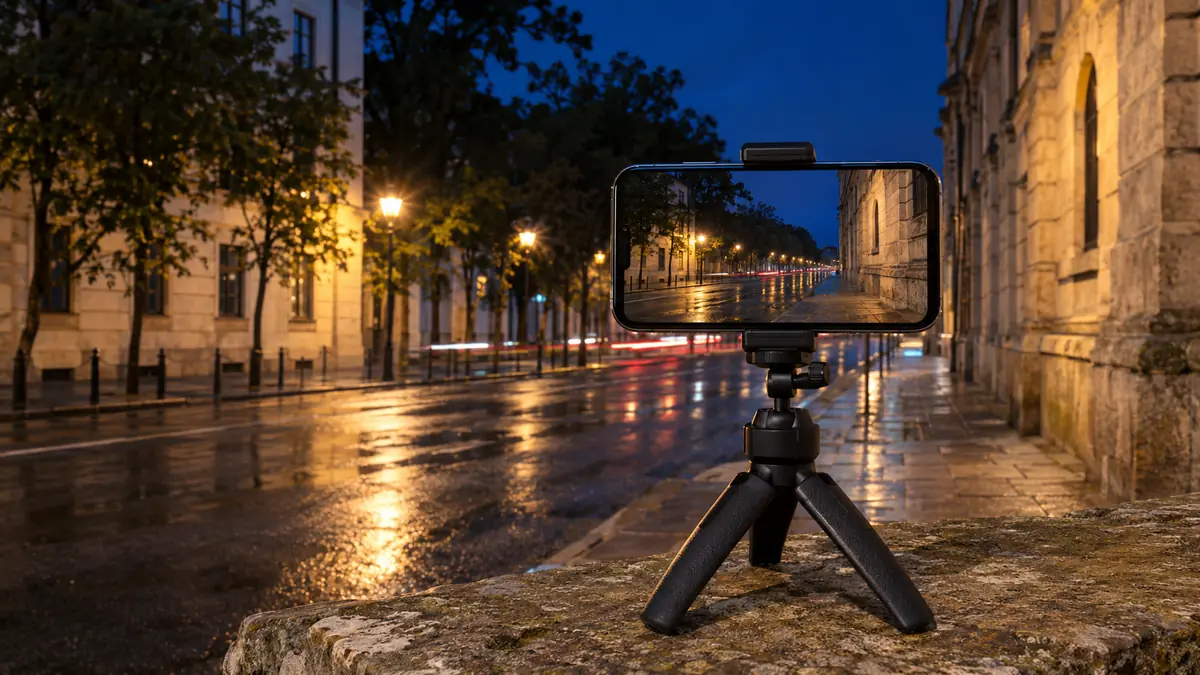
Night Sight merges a longer burst for low-light photos. Hold the phone still until the shutter finishes. Lifting it too early is the most common cause of blurry night shots. R15 switched on night-mode sky detection by default and made it usable in ZSL and HDR+ with UX.
Portrait mode
Portrait mode blurs the background with software depth estimation. Results depend heavily on the phone and lens, and portrait is one of the modes most likely to fail on some devices. If portrait crashes, use the stock camera for portraits and LMC for everything else.
The patcher: PRO, TEST and LDR
The patcher is what makes LMC different from a plain GCam port. It lets you change low-level processing values such as sharpening, noise reduction, contrast, highlights and colour. R9 added a TEST section and more LDR patcher options. R17 added LDR Lite Highlight, Sabre Noise and *Disable Preserving Highlights*. XML configs are mostly saved patcher settings, which is why loading one can change the look so much.
LMC Tweaks, libraries and noise models
LMC Tweaks holds the advanced options. These include the processing library for each lens (per lens since R15), noise model tuning (system noise model since R14), and custom noise and AWB models you can load (R18). Changing a library or model is the deepest change you can make. Do it only when a config or guide for your phone tells you to.
Lens switching (AUX)
AUX settings decide which physical cameras LMC can open: ultrawide, telephoto or macro. R18 improved the default AUX settings for many devices. Whether extra lenses appear at all also depends on your phone and the APK package ID. See Which APK should you download?.
Version history
LMC 8.4 version history, R9 to R18F1
LMC 8.4 was not a single release. It was built up over many numbered versions. Knowing what changed helps you pick the right one, especially if you follow a config or video made for an older build.
- R9, the oldest build in our archive: TEST patcher section, Live Photo option, wider Clarity, Contrast and Smoothness ranges. Based on Shamim’s SGCam GCam 8.4.
- R13 Fix2: ISO100, Max.Time and Max.ISO shutter options, session selection for system initialisation, and a fix for the Xiaomi Mi 12 Ultra.
- R14: Material You styling on all Android versions, the system noise model, about 70% fewer animations, and smoother default tone curves from version 8.6.
- R15: Exynos support (checked by the developer on the Note20 Ultra, S21 Ultra and S10), a processing library per lens, and seven package variants.
- R16: frame-count control for ZSL and HDRNet, per-button zoom values and a viewfinder resolution switch. It removed the noise model, upscaling, black level and Julian CT settings, so older configs may need adjusting.
- R17: new TEST patcher options, Radius Gain and a Samsung metering mode.
- R18F1, the latest: a full-height exposure slider, popup button menus, vibration feedback, loadable noise and AWB models, a viewfinder frame-rate setting and a black theme.
The developer has also published newer branches, such as LMC 9.6 for Android 12 and later. Those are separate apps with their own version numbers.
First setup
Best LMC 8.4 settings to start with
There is no single “best settings” list. The right values depend on your phone’s sensor. These habits work on almost any phone and keep things easy to undo:
- Start with the defaults. Take a few test photos in daylight, indoors and at night before changing anything. They are your reference.
- Load a config for your exact model before touching the patcher. A good config already contains tuned patcher values for your sensor.
- Change one setting at a time. If you change sharpening and noise reduction together, you cannot tell which one helped.
- Use HDR+ Enhanced for still subjects and the faster mode for moving subjects. Hold still at night until processing finishes.
- Keep the stock camera installed. It is your fallback for video, macro and any mode LMC does not handle well on your phone.
- Write down what works. Note the release, APK filename, package ID and config name. If an update breaks something, you know exactly what to go back to.
Background
LMC 8.4 and other GCam ports
GCam ports are community builds of Google’s camera app adapted for non-Pixel phones. If you searched for an LMC 8.4 GCam APK download, the R18F1 files on this page are exactly that: LMC is a GCam port. Several developers maintain their own lines, and they often reuse each other’s work. LMC is Hasli’s line. According to its release notes, LMC 8.4 is heavily based on Shamim’s SGCam port of GCam 8.4 and includes work by Arnova8G2, BSG and BigKaka. Some features came from other ports: Material You and the system noise model (R14) were taken from SGCam, and the popup button menus (R18) from ZGCam. What makes LMC stand out is its depth of tuning, with the patcher, LMC Tweaks and per-lens libraries, plus the large number of community XML configs made for it. That is why many people search for “LMC 8.4” specifically rather than GCam in general. If you only want a simple point-and-shoot GCam, LMC can feel complicated. If you like adjusting the look of your photos, it is one of the most flexible ports.
Updating
How to update LMC 8.4
Android only installs an update over an existing app when the package ID is the same, the signature matches, and the version is newer. With LMC this has some practical consequences:
- Different releases often use different package IDs for their Standard file (for example
com.google.android.GoogleCameraLMCR17vscom.google.android.GoogleCameraLMCR18). Installing R18F1 Standard therefore adds a new app instead of replacing R17. You can keep both and remove the old one when you are happy. - Alternate packages share IDs across releases. R17 Snapcam and R18F1 Snapcam both use
org.codeaurora.snapcam. Installing one over the other replaces it if the signatures match, or fails with “App not installed” if they do not. - Save your config first. Configs live in the
LMC8.4folder, so they survive an uninstall. Settings you changed in the app without saving them as a config are lost.
To go back to an older version, uninstall the newer copy with the same package ID first, then install the older APK. See all LMC 8.4 versions.
Glossary
LMC terms explained
- APK
- The Android app package file you install. LMC is distributed as APK files because it is not on the Play Store.
- Package ID
- The unique name Android uses for an app, such as
org.codeaurora.snapcam. Two apps cannot share one. - XML config
- A file with saved LMC settings, usually tuned for one phone. Loaded from the
LMC8.4folder. - Camera2 API
- The Android interface camera apps use to control the camera. GCam ports need good Camera2 support from the phone.
- AUX
- Auxiliary lenses: ultrawide, telephoto, macro. AUX settings decide which of them LMC can open.
- HDR+ / ZSL
- Google’s multi-frame processing. ZSL (zero shutter lag) captures from frames already buffered, so photos are taken instantly.
- HDRNet
- The processing that shows an HDR-like live preview in the viewfinder.
- Patcher
- LMC’s panel for changing low-level image processing values. Configs mostly store patcher settings.
- Library (lib)
- The processing profile used for a lens. Chosen per lens since R15.
- Noise / AWB model
- Profiles that describe sensor noise and white balance. R18 can load custom ones.
LMC 8.4 APK ডাউনলোড: বাংলায় সংক্ষেপে
LMC 8.4 হলো Hasli-র তৈরি একটি জনপ্রিয় GCam (Google Camera) পোর্ট, যা Android ফোনে Google-এর HDR+ ও Night Sight-এর মতো ছবি প্রসেসিং এনে দেয়। সর্বশেষ LMC 8.4 সংস্করণ হলো R18F1। এর ৬টি APK ফাইল আছে, সবগুলোতে একই ক্যামেরা, শুধু Android package ID আলাদা।
- উপরের ডাউনলোড অংশ থেকে Standard ফাইল
LMC8.4_R18F1.apkডাউনলোড করুন। - ফাইলটি খুলুন এবং ব্রাউজার বা ফাইল ম্যানেজারকে “unknown apps” ইনস্টলের অনুমতি দিন।
- ইনস্টল করে ক্যামেরা ও ছবির অনুমতি দিন। আগে config ছাড়া মূল ক্যামেরা ও সেলফি ক্যামেরা দিয়ে ছবি তুলে দেখুন।
- এরপর আপনার ফোনের মডেলের জন্য একটি XML config
LMC8.4ফোল্ডারে রেখে লোড করুন।
আল্ট্রাওয়াইড বা টেলিফটো লেন্স না দেখালে Snapcam (Snapdragon), Aweme (কিছু Realme/OPPO/OnePlus) বা Scan3D/Iris (Samsung) ফাইল চেষ্টা করুন। পুরোনো সংস্করণ (R17, R15, R13 ইত্যাদি) পাবেন LMC 8.4 old versions পাতায়।
বাংলা সারাংশ। বিস্তারিত তথ্য ইংরেজিতে এই পাতায় দেওয়া আছে।
Fix problems
Common LMC 8.4 problems
FAQ
LMC 8.4 APK: frequently asked questions
Still stuck?Try the troubleshooting guide or the package guide, or compare all LMC 8.4 versions.
What is the latest version of LMC 8.4?
R18 is the latest LMC 8.4 release listed by the developer, and its files are labelled R18F1. Newer LMC branches (such as LMC 9.6) are separate apps with their own version numbers.
Is the LMC 8.4 download free?
Yes. LMC 8.4 is a free community camera port, so every LMC 8.4 APK free download on this page costs nothing, and the XML configs are free too.
Does LMC 8.4 need root?
No. LMC installs like any other APK. It does need your phone to expose its cameras through Android’s Camera2 interface. Some phones limit this, which is why lenses can be missing or the preview can stay black.
Which LMC 8.4 camera APK is best for my phone?
Start with the Standard package. If extra lenses are missing, try the alternate package the developer suggests for your brand: Snapcam for Snapdragon, Aweme for some Realme/OPPO/OnePlus phones, Scan3D or Iris for Samsung. Install and test one package at a time.
Can I install two LMC versions at the same time?
Yes, if they use different package IDs. Two files with the same package ID will replace each other, or fail with “App not installed” if their signatures differ.
Is LMC 8.4 safe?
LMC is third-party software that is not distributed through Google Play. This site does not scan or modify the files and cannot guarantee them. Install only what you need, keep your stock camera, and read the disclaimer.
Where do I get LMC 8.4 XML config files?
Use our LMC 8.4 config file download library. Search for your phone model, check the release named in the filename, and load one config at a time.
Does LMC 8.4 work on Android 13, 14 or 15?
The developer does not list a minimum or maximum Android version for LMC 8.4. Many people use it on newer Android versions, but results depend on the phone. Phone makers can change camera access in updates, so test the base app after a major Android update. On Android 12 or later you can also try LMC 9.6.
Where does LMC save photos?
Like Google Camera, LMC normally saves photos to the phone’s camera folder (DCIM/Camera), so they appear in your gallery. If photos do not appear, check that LMC has photo and storage permission.
Is LMC 8.4 the same as Google Camera?
No. It is a community modification of Google Camera 8.4, adapted to run on non-Pixel phones, with many extra settings. Google does not make or support it.
Is “LMC 4.8” or “lmc8.4” a different app?
No. “LMC 4.8”, “lmc8.4”, “lmc.8.4” and “LMC camera 8.4” are all ways people write LMC 8.4. Everything on this page applies.
Can I use LMC 8.4 on an iPhone?
No. LMC is an Android app and cannot be installed on iOS.
Can LMC 8.4 record video?
Yes, but video support in GCam ports varies a lot between phones. Some phones record smoothly, while others stutter or are limited in resolution. Many people use LMC for photos and the stock app for video.
What is the difference between R18 and R17?
R18 mainly changed the interface (a full-height exposure slider, popup button menus, a black theme) and added loadable noise and AWB models. The developer says image quality is unchanged. R17 added new patcher options and a Samsung metering mode. See R18F1 and R17.